> ## Documentation Index
> Fetch the complete documentation index at: https://help.smile.io/llms.txt
> Use this file to discover all available pages before exploring further.
# Apply Smile UI to Shopify theme
> How to re-add the launcher/button to pick up theme changes in Shopify
The Smile Launcher is added to your Shopify store automatically, however it is possible that it can be removed from your store if you have recently made edits or changed your theme. This article explains how to use the **Apply Smile** button to add the Smile UI back to your theme.
## How to know if you need to apply the Smile UI
The most obvious sign that you may need some intervention is that the Smile Launcher and Panel will not be visible on your store where it should be. If it is something we can detect, you may see this error message when logging in to [Smile Admin](https://app.smile.io):
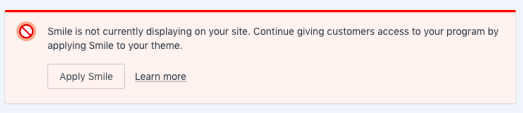 If you see this message, clicking on the **Apply Smile** button will reapply the Smile UI and you should be good to go.
If the Launcher is still not showing, or if your customers are reporting that the Panel is not showing their points balances or is not working the way that is expected, follow the steps in the next section before reaching out to our support team.
## Getting the Smile Launcher and Panel to appear on your Shopify store
**Step 1:**
Check the Launcher visibility settings in **On-site content** > **[Launcher.](https://app.smile.io/on-site/launcher)**
If you see this message, clicking on the **Apply Smile** button will reapply the Smile UI and you should be good to go.
If the Launcher is still not showing, or if your customers are reporting that the Panel is not showing their points balances or is not working the way that is expected, follow the steps in the next section before reaching out to our support team.
## Getting the Smile Launcher and Panel to appear on your Shopify store
**Step 1:**
Check the Launcher visibility settings in **On-site content** > **[Launcher.](https://app.smile.io/on-site/launcher)**
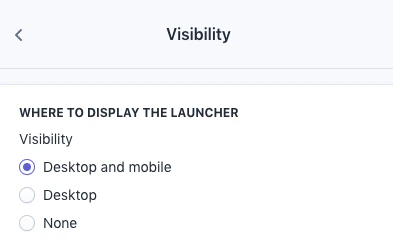 Verify that the settings are as you want them to be. Successful programs ensure that the loyalty and rewards are easily discovered, joined and engaged with. The Smile Launcher and Panel are the best way to ensure your customers have what they need, when they need it. If you need guidance on any of the visibility settings check out [this article](/en/articles/4036211-show-or-hide-the-loyalty-launcher).
**Step 2:** If your Launcher is set to **visible** and it still doesn't show on your store you can refresh the Smile UI in your Shopify theme. This is similar to a reset and only takes a few seconds.
To add your Launcher to your Shopify theme, navigate to the [Setting Platform Settings](https://app.smile.io/settings/platform) of your [Smile Admin](https://app.smile.io/integrations/manage).
Verify that the settings are as you want them to be. Successful programs ensure that the loyalty and rewards are easily discovered, joined and engaged with. The Smile Launcher and Panel are the best way to ensure your customers have what they need, when they need it. If you need guidance on any of the visibility settings check out [this article](/en/articles/4036211-show-or-hide-the-loyalty-launcher).
**Step 2:** If your Launcher is set to **visible** and it still doesn't show on your store you can refresh the Smile UI in your Shopify theme. This is similar to a reset and only takes a few seconds.
To add your Launcher to your Shopify theme, navigate to the [Setting Platform Settings](https://app.smile.io/settings/platform) of your [Smile Admin](https://app.smile.io/integrations/manage).
 Click **Show More**
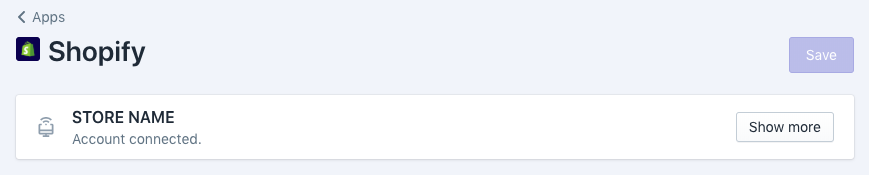 Click **Apply Smile** to re-apply the Smile UI to your Shopify Theme. It may take a few moments for this to be successfully added.
 You will see a notification once the operation has completed successfully.
**Step 3:** If you've applied our code to your theme and our UI still doesn't show on your store - or if you're on Shopify 2.0 - try following [this guide](https://help.shopify.com/en/manual/online-store/themes/theme-structure/extend/apps#app-embeds) from Shopify to enable App Embed for Smile.io in your Shopify theme:
You will see a notification once the operation has completed successfully.
**Step 3:** If you've applied our code to your theme and our UI still doesn't show on your store - or if you're on Shopify 2.0 - try following [this guide](https://help.shopify.com/en/manual/online-store/themes/theme-structure/extend/apps#app-embeds) from Shopify to enable App Embed for Smile.io in your Shopify theme:
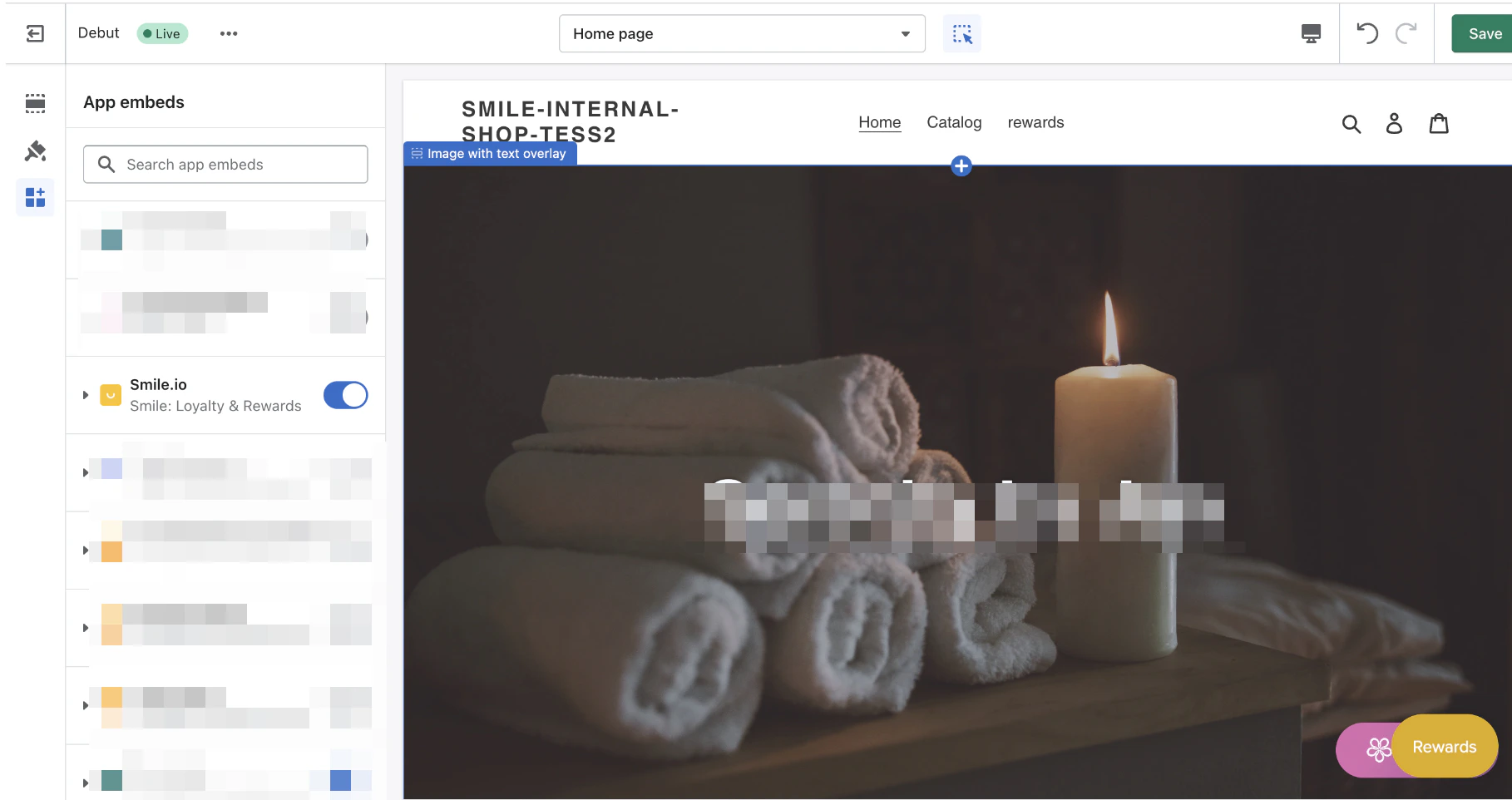 Verify that the Launcher and Panel are now visible and working on your store and if not, please reach out to [help@smile.io](mailto:help@smile.io) so that we can work together to further diagnose the issues.