

Feature availability: Embed points balance on the customer account page is available on Growth, Plus, and Enterprise plans for merchants on Shopify.
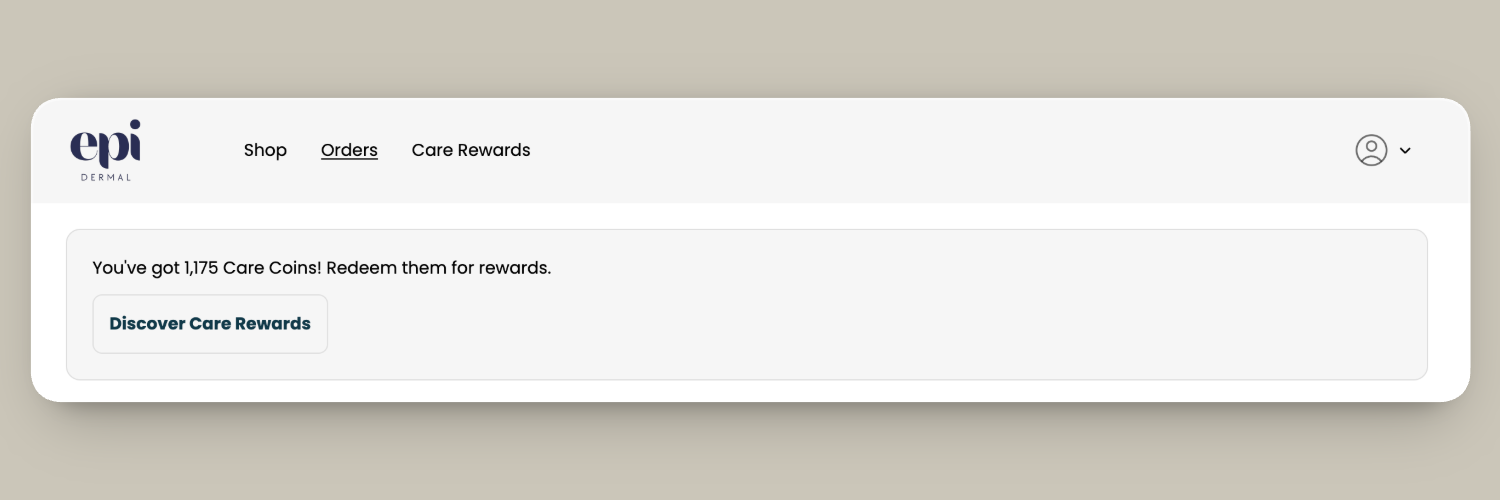
How it works
- Displays the customer’s current points balance along with a call-to-action button.
- Is not shown to customers who are excluded from your loyalty program.
- The button automatically directs customers to redeem rewards when they have enough points, or to ways to earn more points when they do not.
- By default, the button links to the Rewards panel on your store’s primary domain. If you use Loyalty Hub, you can send customers to Loyalty Hub instead by adding your Loyalty Hub link to the Custom button link setting. The link must be the full URL that starts with
https://. - You can customize the button text using the Custom button label setting. If you leave the default button text unchanged, it is automatically translated based on the customer’s language.
- Displays your custom points currency name, if set.
- Supports both Shopify customer accounts and Shopify legacy customer accounts. Follow the setup steps for your store’s account type below.
Add points balance to Shopify customer accounts
- In Smile Admin, navigate to On-site content > Customer account points banner.
- Click Go to account editor.
- In the left sidebar, find Loyalty points balance.
- Click to add to the Orders page.
- Click Save.
Add points balance to Shopify legacy customer accounts
- In Smile Admin, navigate to On-site content > Customer account points banner.
- Click Go to Themes.
- In Shopify Admin, find your active theme and click Edit theme.
- From the drop-down menu in the header, click Legacy customer accounts > Customer account.
- Sign in to view the logged in customer state.
- In the left sidebar, select Template > Add section.
- Select the Points on account page app block.
Note: When adding points to a legacy customer account, you must sign in to your store through the theme editor to access the Customer account template. Sign in using a store account. Your Shopify admin login will not work.