

Feature availability: Redeem points at cart is available on the Standard, Growth, Plus, and Enterprise plans for merchants on Shopify.
Note: On Shopify Plus? You can also let customers redeem points at checkout. See Redeem points at checkout.
Add redeem points at cart
- From Smile Admin, navigate to On-site content.
- In the Redeem points at cart section, click Set up.
- Turn on Redeem points at cart.
- In the Smile app embed section, make sure the status is Enabled. If it shows Setup needed, click Go to Theme editor and enable the app embed.
Turn off redeem points at cart
- From Smile Admin, navigate to On-site content.
- In the Redeem points at cart section, click Set up.
- Turn off Redeem points at cart.
How it works
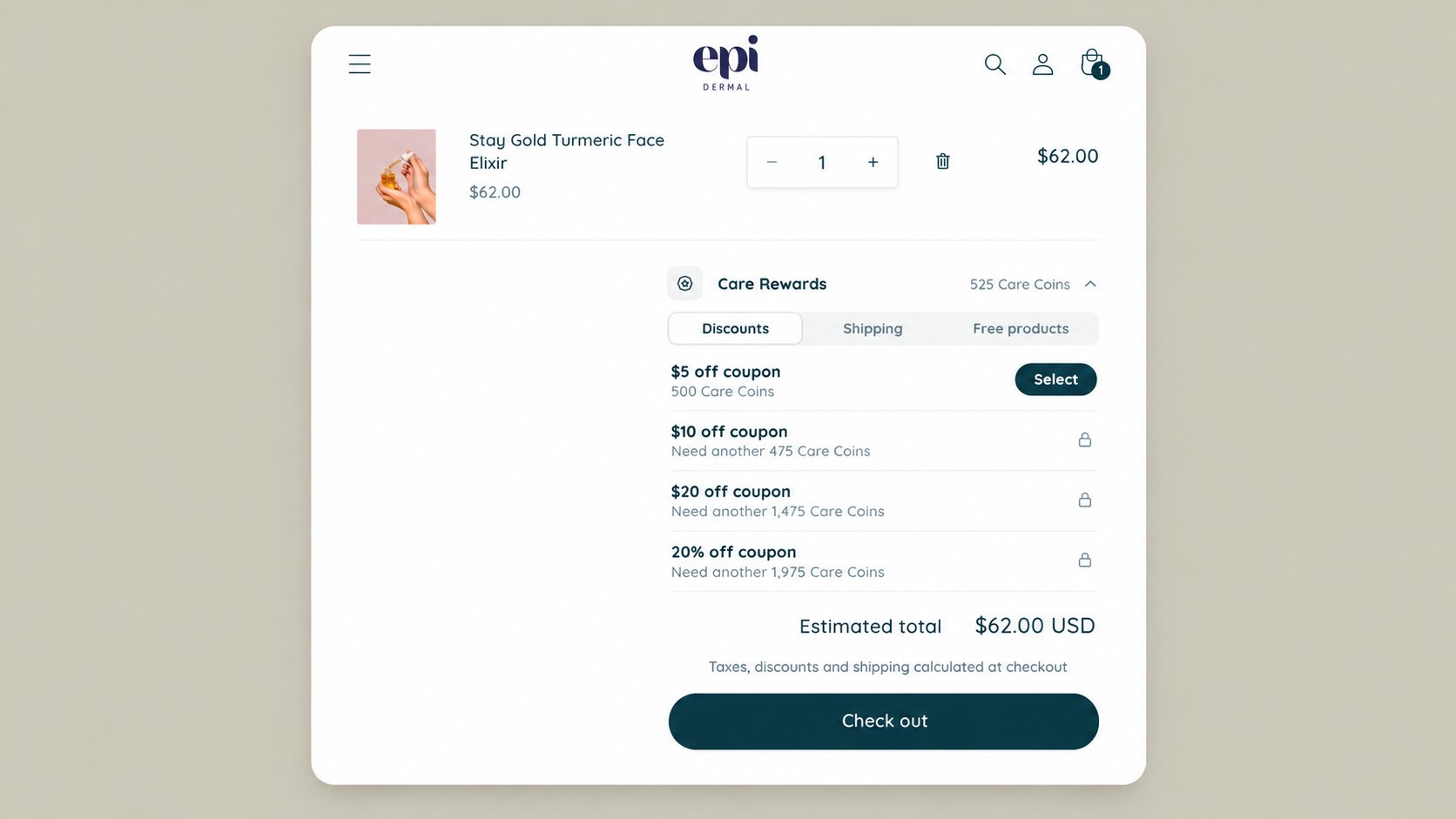
- Customer login: Customers must be logged in to redeem points. Logged-out customers can see available rewards and are prompted to log in or create an account.
- Viewing rewards: Customers open the rewards section in their cart drawer or cart page to see available rewards.
- Available rewards: Only fixed amount, percentage, free shipping, and free product rewards are supported for redemption in the cart.
- Redeeming points: Customers click Select next to a reward. For incremental rewards, they first use the points slider to choose how many points to spend.
- Applying rewards: The discount code is automatically applied to the cart. For free product rewards, the product is also added to the cart if it isn’t already there.
- Points deduction: Points are deducted as soon as a customer redeems a reward, even if they haven’t completed checkout. If the discount code can’t be applied to the cart, it can still be used on another eligible order.